
IBKR Flex Query for portfolio tracking step by step
Which file to pick, how to get it out of Interactive Brokers, and what you can do with it next.
How to export from Interactive Brokers
-
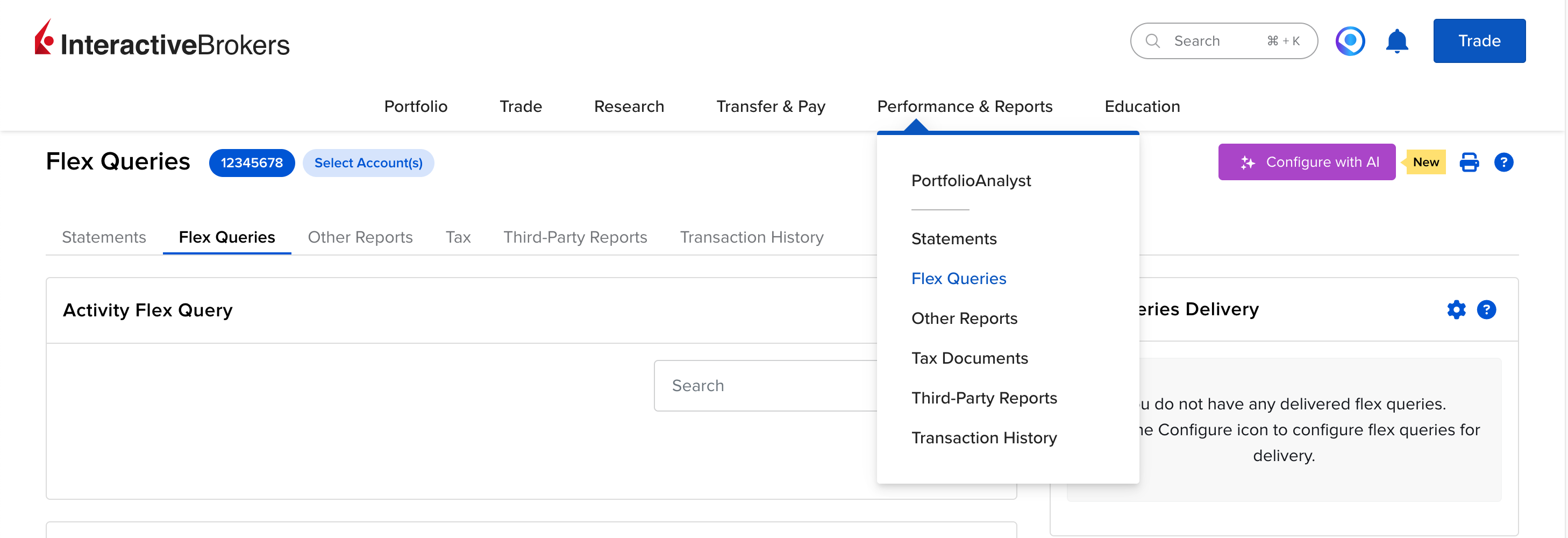
In the IBKR Client Portal, open Performance & Reports → Flex Queries.
-
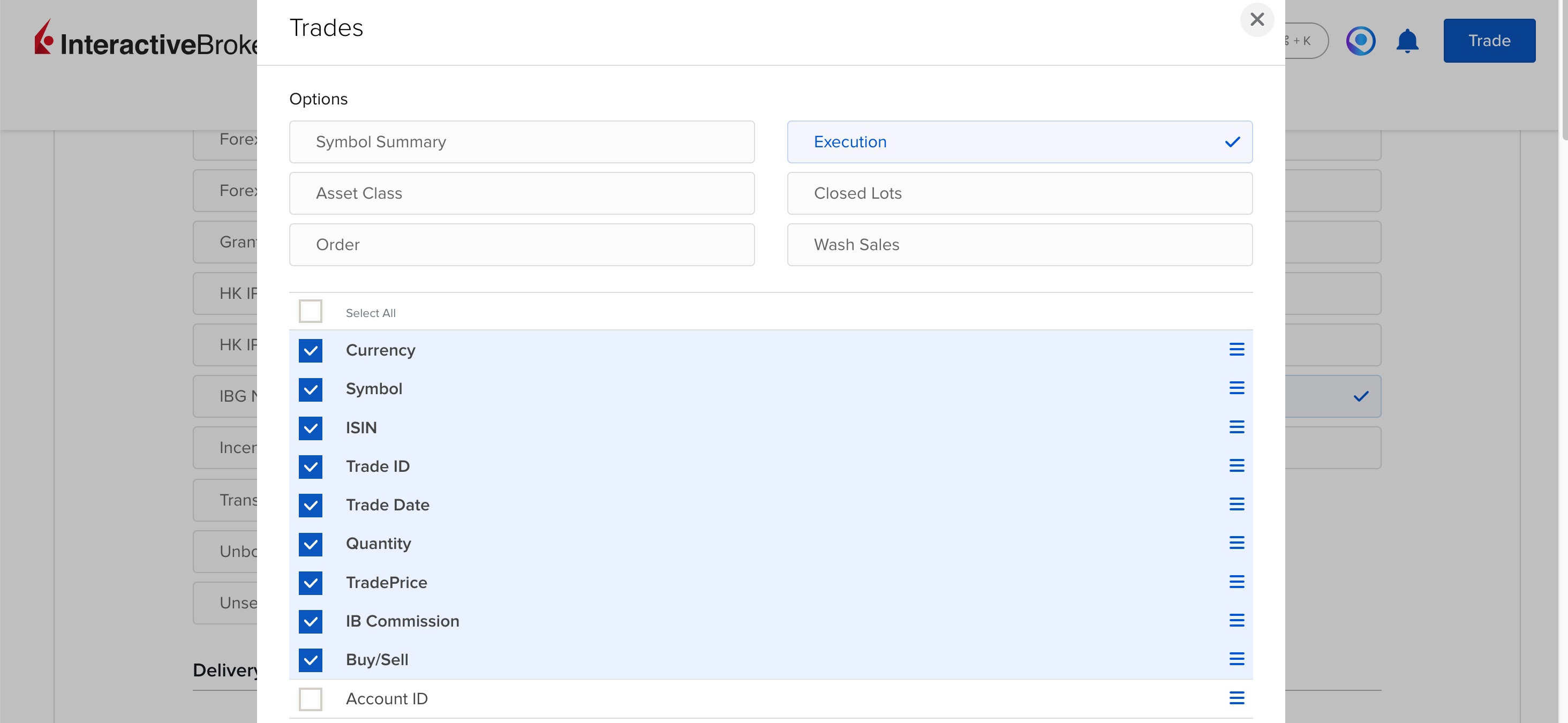
Create an Activity Flex Query. In the Trades section, pick Execution and the fields Symbol, ISIN, Trade ID, Trade Date, Buy/Sell, Quantity, TradePrice, IB Commission and Currency.
-
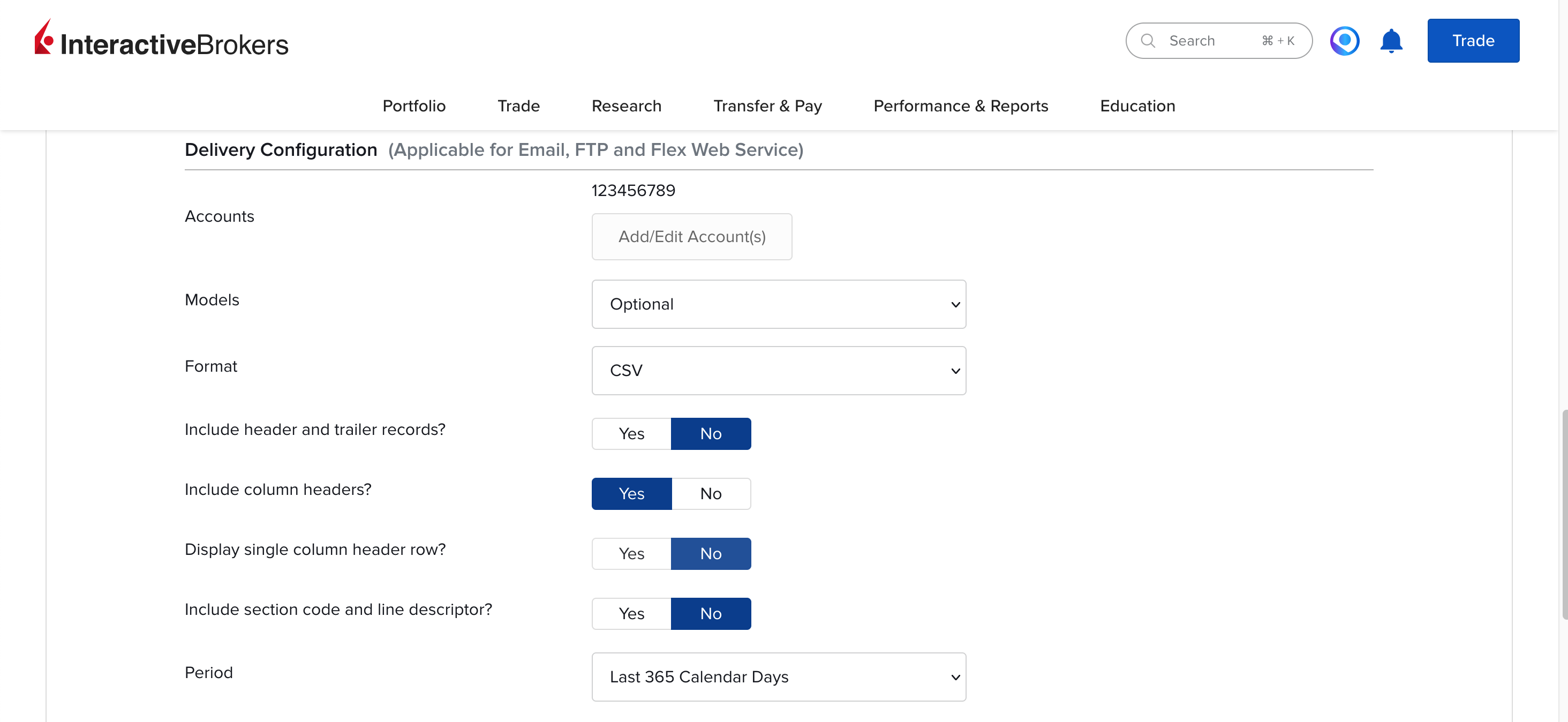
Under Delivery Configuration, set the period to Last 365 Calendar Days and the format to CSV, then save the query and copy its Query ID.
-
Open Flex Web Service Configuration, switch the service on and copy the current token.
-
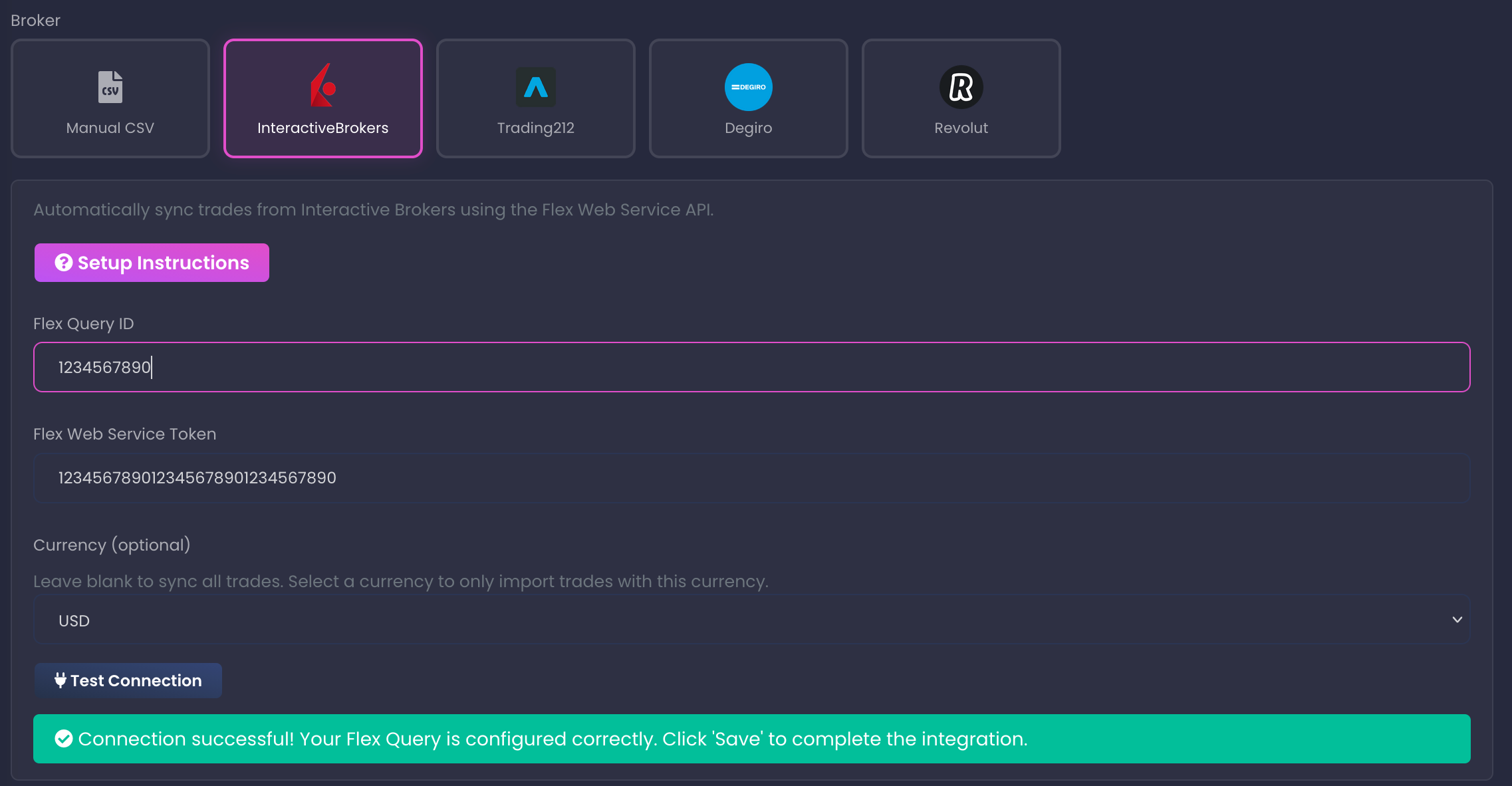
Paste the Query ID and the token into your portfolio settings in Stonksfolio and click Test Connection. New trades are picked up automatically from then on.




Everything about the import itself is in the Interactive Brokers import guide.
What to know about the Interactive Brokers export
Activity Flex Query
IBKR has Activity and Trade Confirmation queries. The Activity one can hold trades and cash transactions in the same report.
Add Cash Transactions for dividends
Tick Dividends and Withholding Tax under Cash Transactions, with Symbol, ISIN, Date/Time, Amount, Type, Transaction ID and Currency, and your dividends come in too.
The token is read-only
A Flex Web Service token can fetch reports and nothing else. It expires after a while, and you can revoke it from the Client Portal at any time.
What to do with the file
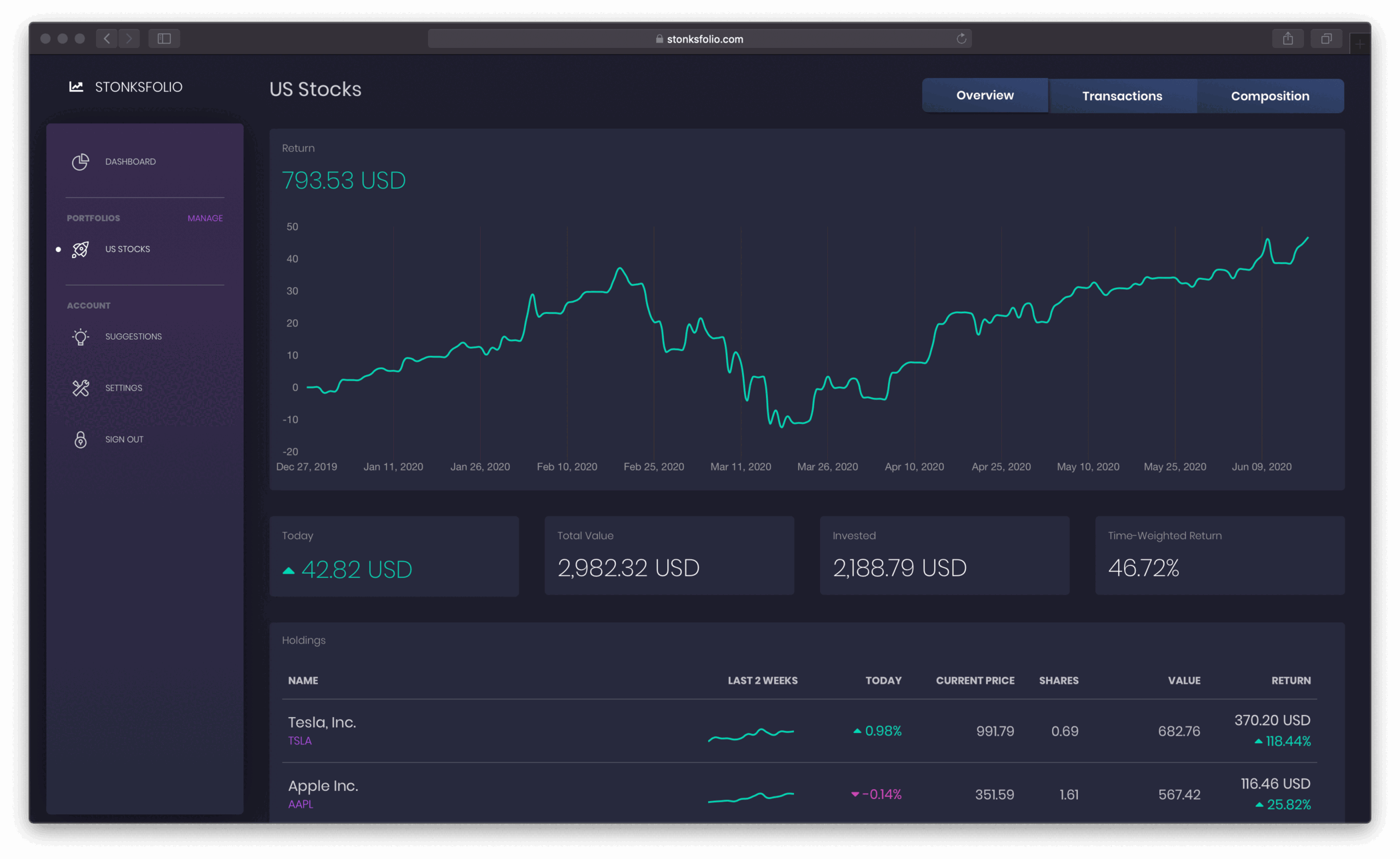
The file lists what you bought and sold. Upload it to Stonksfolio to see how that money did: your time-weighted return, your net return in money, dividends and allocation, next to every other broker you use.
Questions
What is an IBKR Flex Query?
A report you design yourself in the Client Portal: you pick the sections and the fields, and IBKR fills it with your account data. Other apps can fetch it with a token.
Is it safe to share the Flex Query token?
The token can only download Flex Query reports. It can't place orders or move money, and you can revoke it at any time.
How often does IBKR update a Flex Query?
Once a day, after markets close. A trade usually shows up the next business day.
Can I download the Flex Query as a file instead?
Yes. Run it from the Client Portal and save the CSV. On the free plan you upload that file by hand. The automatic sync is part of Pro.
Upload your Interactive Brokers file and see your return
It's free to start and you don't need a credit card.