Interactive Brokers integration
Connect your IBKR account to Stonksfolio using Flex QueriesOverview
Interactive Brokers exposes account activity through Flex Queries - a read-only export mechanism that's the standard way third-party applications can read IBKR data.
Once set up, Stonksfolio periodically invokes the Flex Query to import your trades (and optionally dividends).
Flex Queries are pull-only and cannot place trades or modify your IBKR account. Revoke at any time from Client Portal.
Step 1 - Create Flex Query
- Log in to the Interactive Brokers Client Portal and navigate to Performance & Reports → Flex Queries.
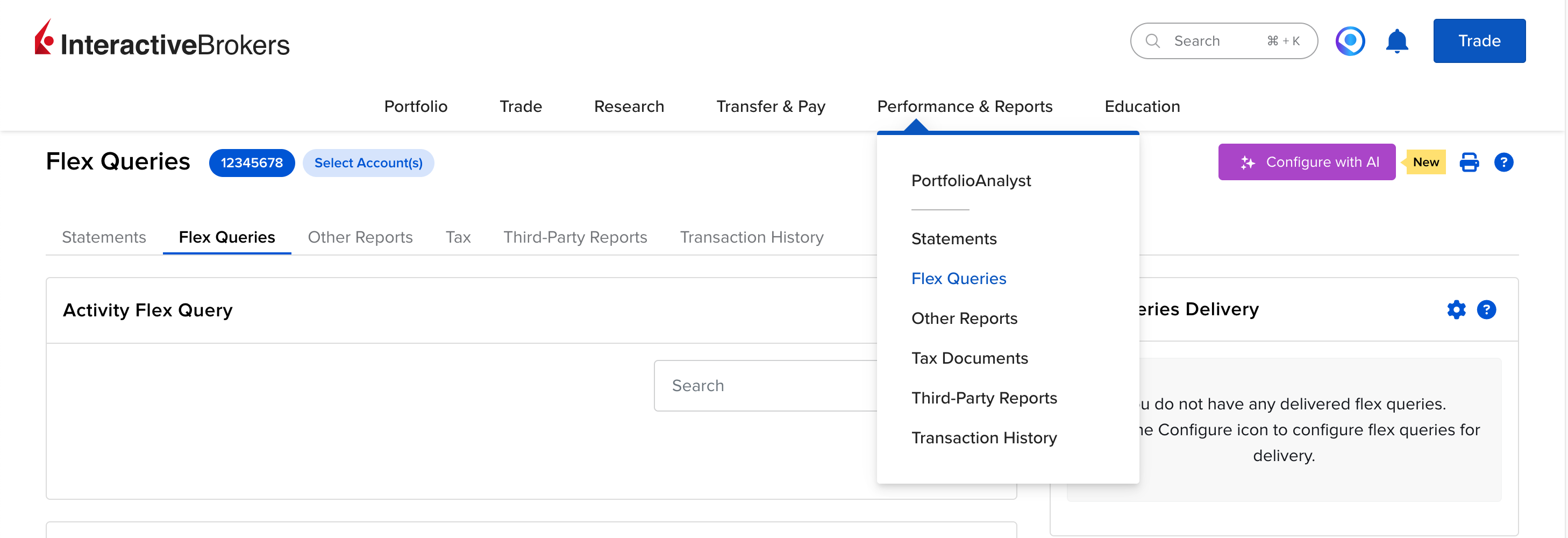
- Click the + button next to Activity Flex Query to create a new query.
- Enter a name for your query, e.g. Stonksfolio Sync.
-
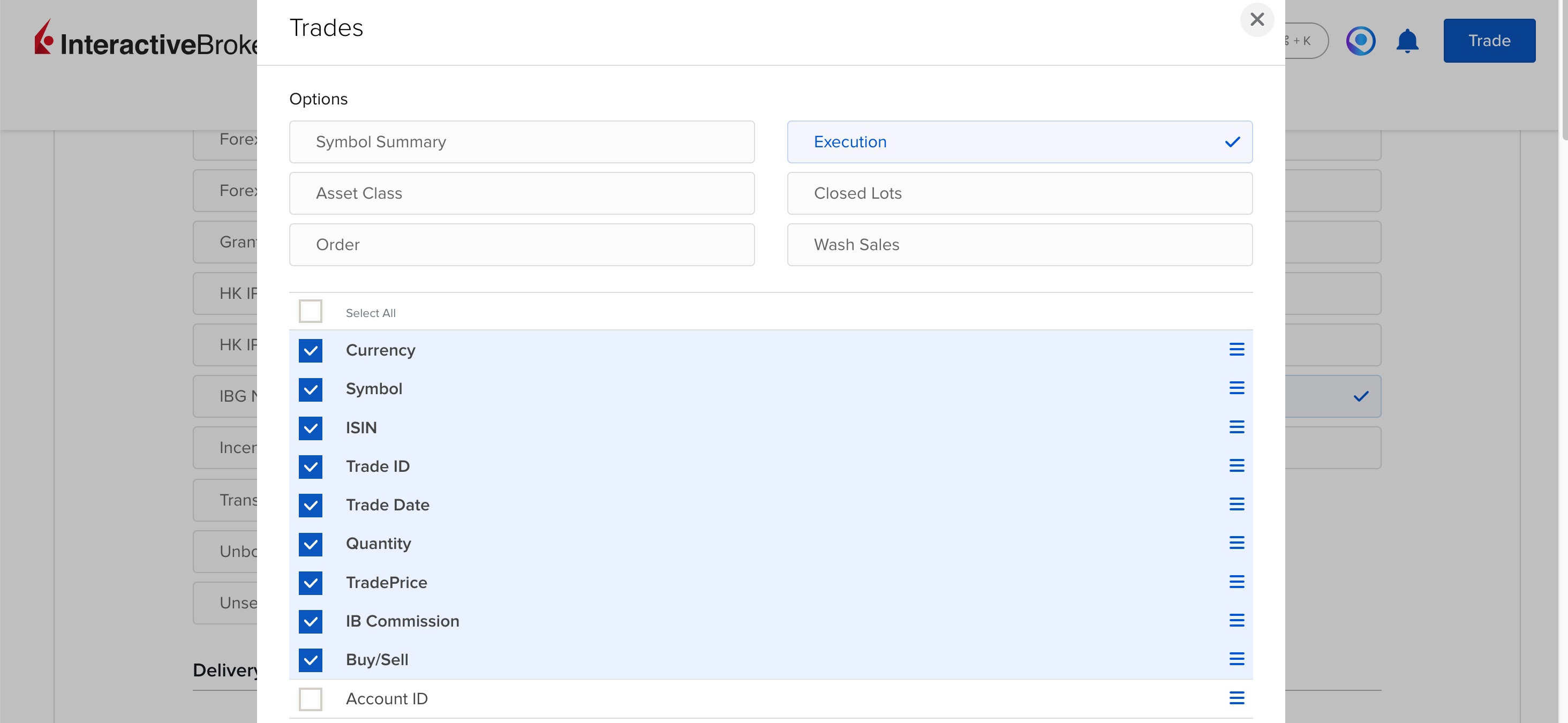
Click on the Trades section, select Execution, and choose these fields:
Symbol ISIN Trade ID Trade Date Buy/Sell Quantity TradePrice IB Commission Currency
-
optional Syncing dividends: click
on the Cash Transactions section. Mark the Dividends and
Withholding Tax options and then select the following fields:
Symbol ISIN Date/Time Amount Type Transaction ID Currency
- Click on Save and scroll down to the Delivery Configuration section.
-
Set Period to Last 365 Calendar Days and Format to CSV.
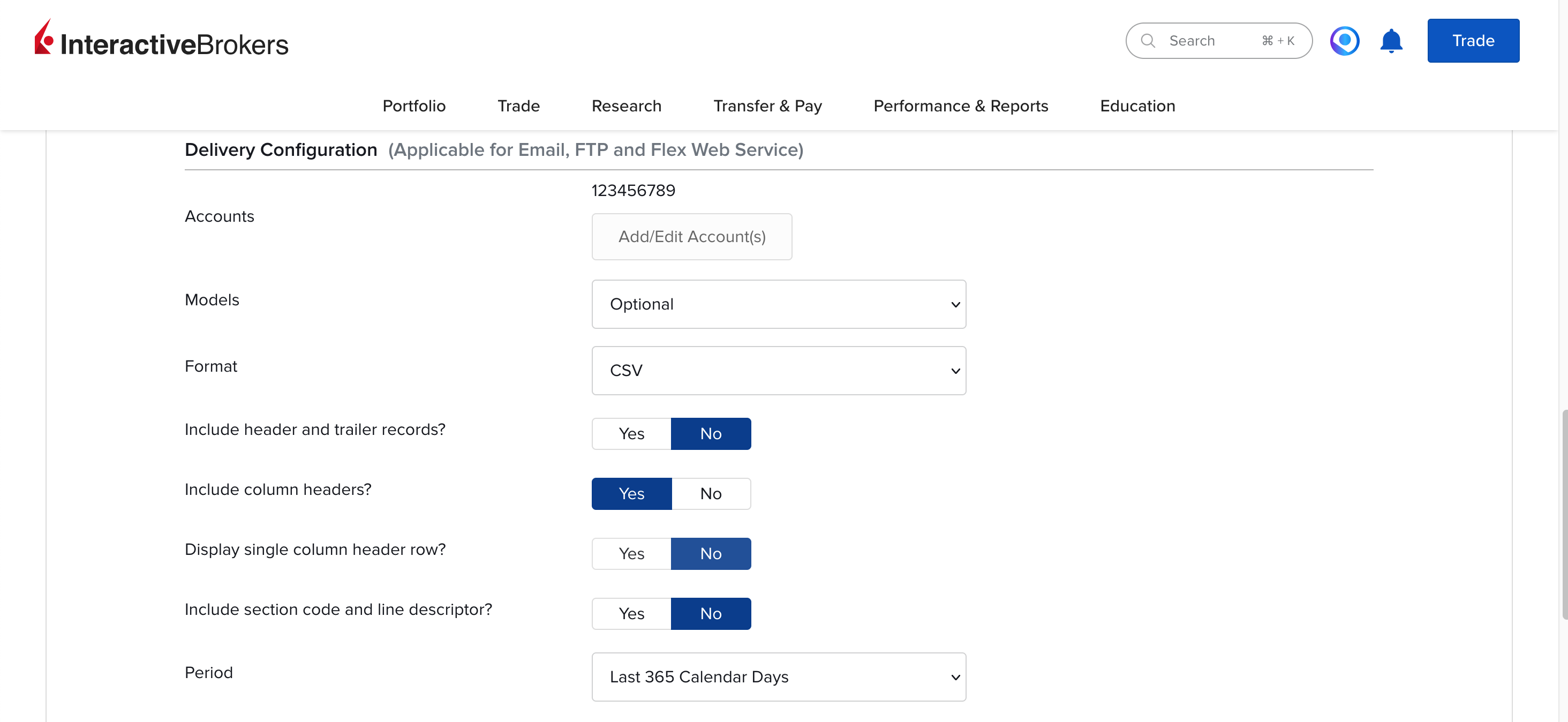
- Click on Continue. Review the query and click on Create to save it.
- Navigate back to Performance & Reports → Flex Queries. Find your new query and click on the icon. Copy the Query ID.



Step 2 - Generate a Flex Web Service token
- In IBKR Client Portal, go to Performance & Reports → Flex Queries.
- Locate the Flex Web Service Configuration section and click on the icon ("Configure").
- Check the Flex Web Service Status checkbox and click Save.
- Copy the Current Token.
Step 3 - Configure the integration in your Stonksfolio portfolio
-
Open your portfolio in Stonksfolio and click the (Settings) icon.

- Select Interactive Brokers from the list of available brokers.
- Enter the Query ID from Step 1 in the Flex Query ID field.
- Enter the Token from Step 2 into the Flex Web Service Token field.
-
Click on Test Connection to make sure things are wired up properly.
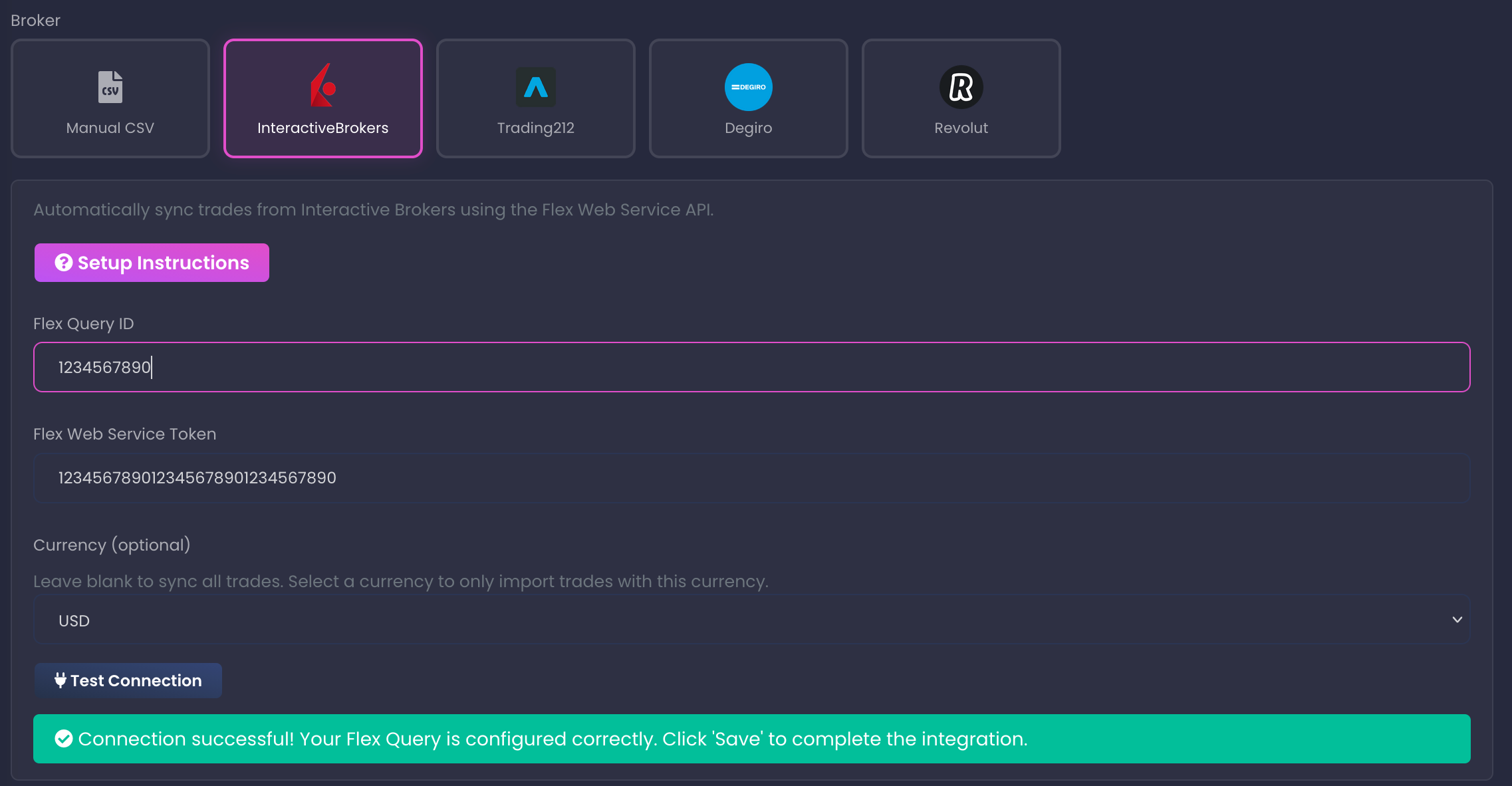 If the test fails
Make sure you entered the correct Query ID and Token and try again. IBKR will also sometimes take up to 30m to actually register the created token and activate it.
- Finally, if the test is successful, click on Save to save the settings.


How the sync works
Once the Flex Query is set up, Stonksfolio will periodically use it to check your IBKR account for any new transactions and they will automatically be added to your portfolio.
When new transactions are imported, you'll be notified once you open the portfolio page:

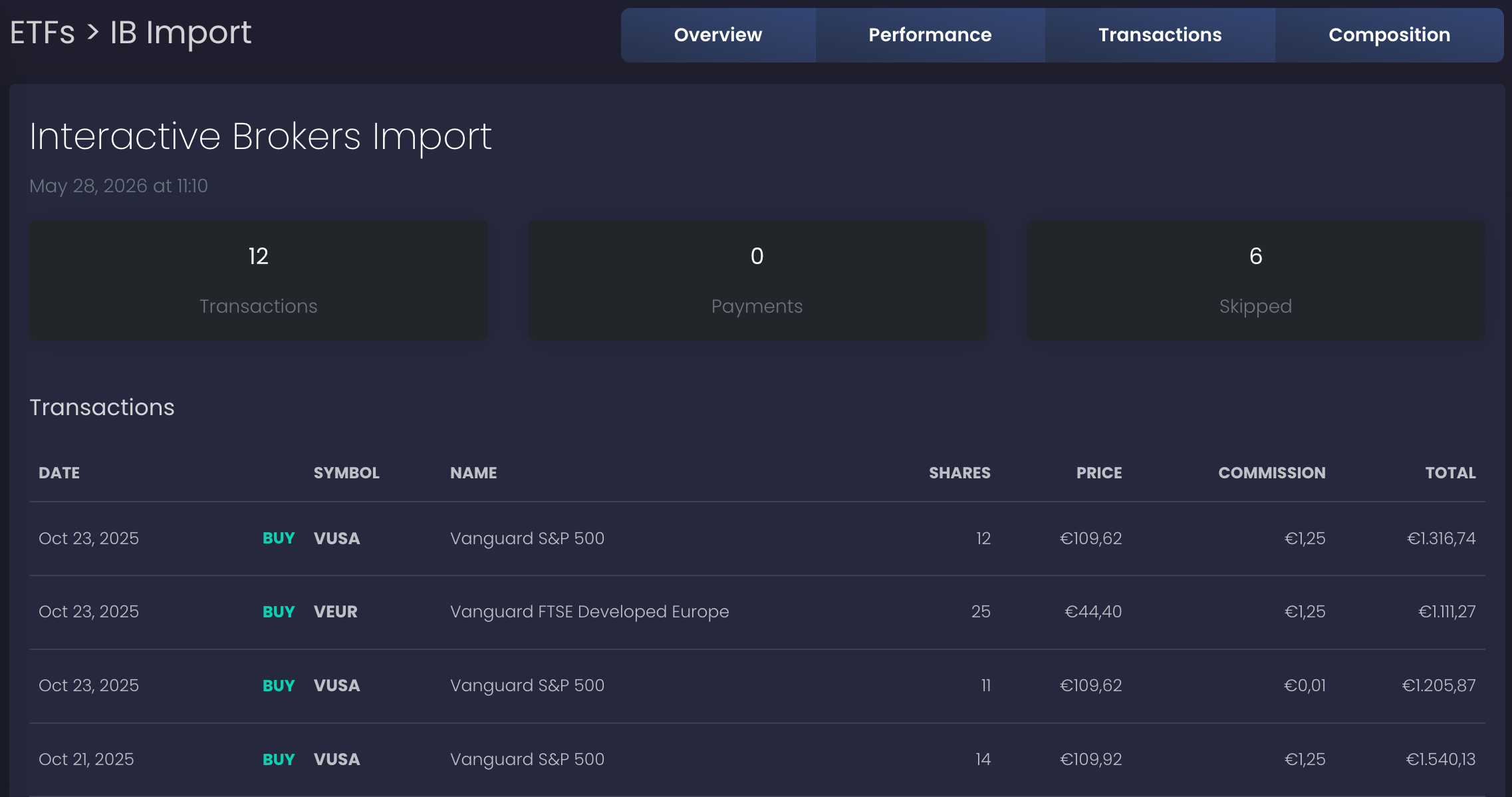
Clicking the Review button will show a detailed list with the imported transactions:
Important details
- IBKR's Activity statement refreshes once a day at market close. New trades typically appear in Stonksfolio the next business day.
- Imports are idempotent - transactions are never imported more than once. But if you already added the transactions manually, the importer might add duplicates. After the first import, double-check the Transactions tab and delete any duplicates.
- If the credentials stop working (either because you deleted the Flex Query in IBKR Client Portal or the token has expired), Stonksfolio will stop the automatic sync. Once the credentials have been fixed, the sync will resume.
FAQ
How long until a new trade shows up in Stonksfolio?
Can Stonksfolio trade or move money on my behalf?
What happens when the token expires?
auth failed error and a banner appears on the portfolio. Generate a new token in Performance & Reports → Flex Queries, paste it into Stonksfolio, and save. Auto-sync resumes from the next run.