
Trading 212 export to CSV step by step
Which file to pick, how to get it out of Trading 212, and what you can do with it next.
How to export from Trading 212
-
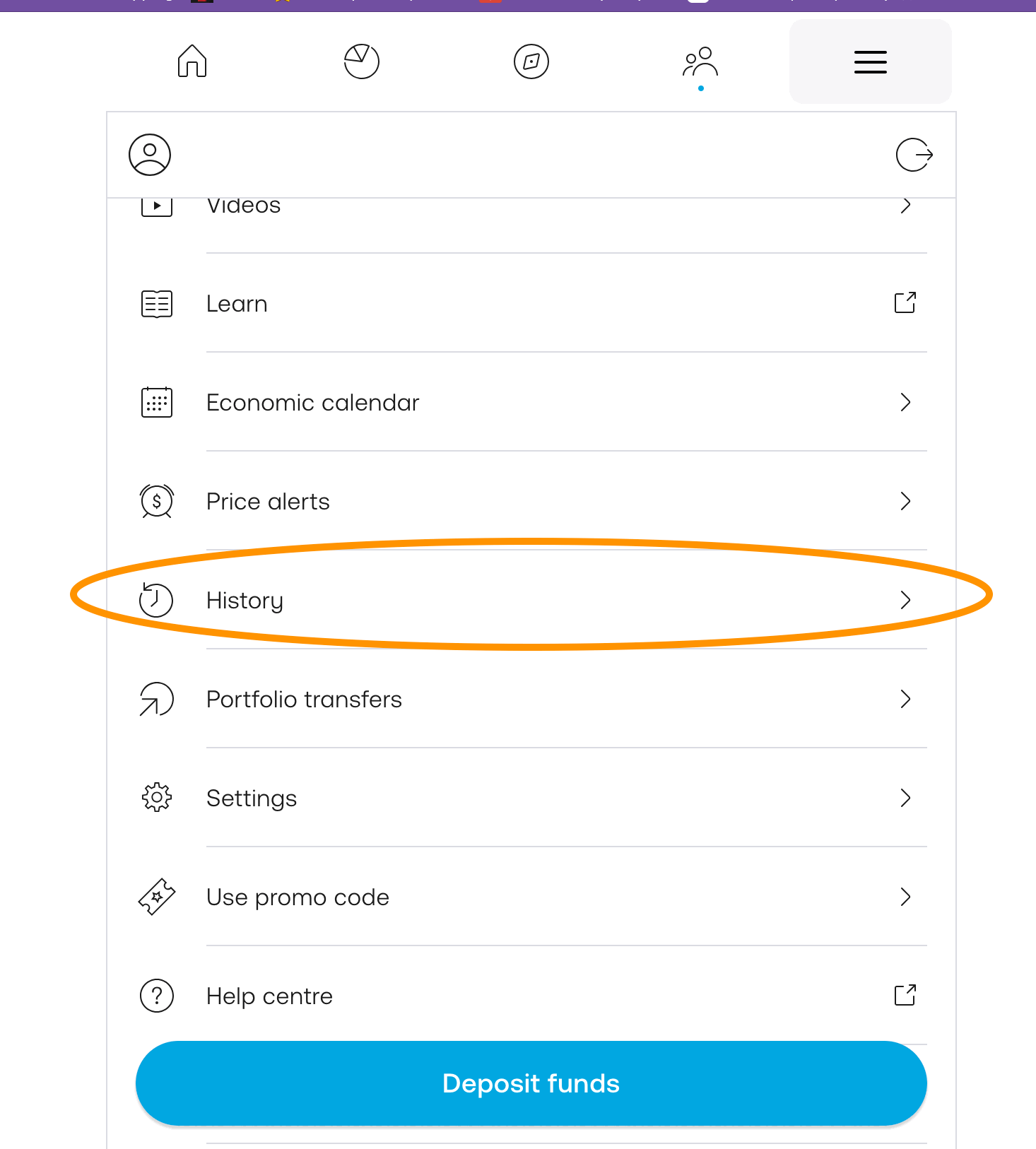
Open the ☰ menu in the Trading 212 app and tap History.
-
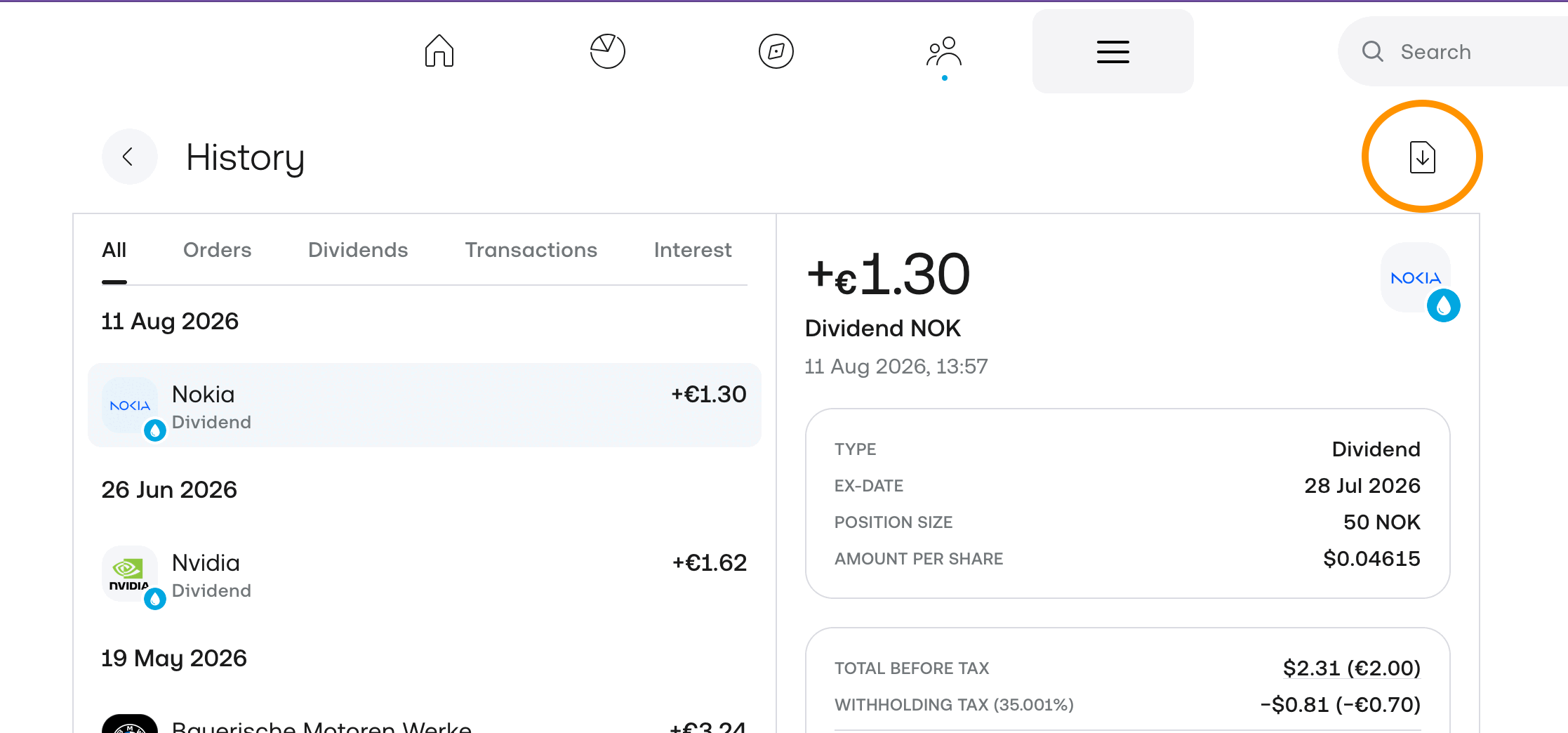
Tap the download icon in the top right corner of the History page.
-
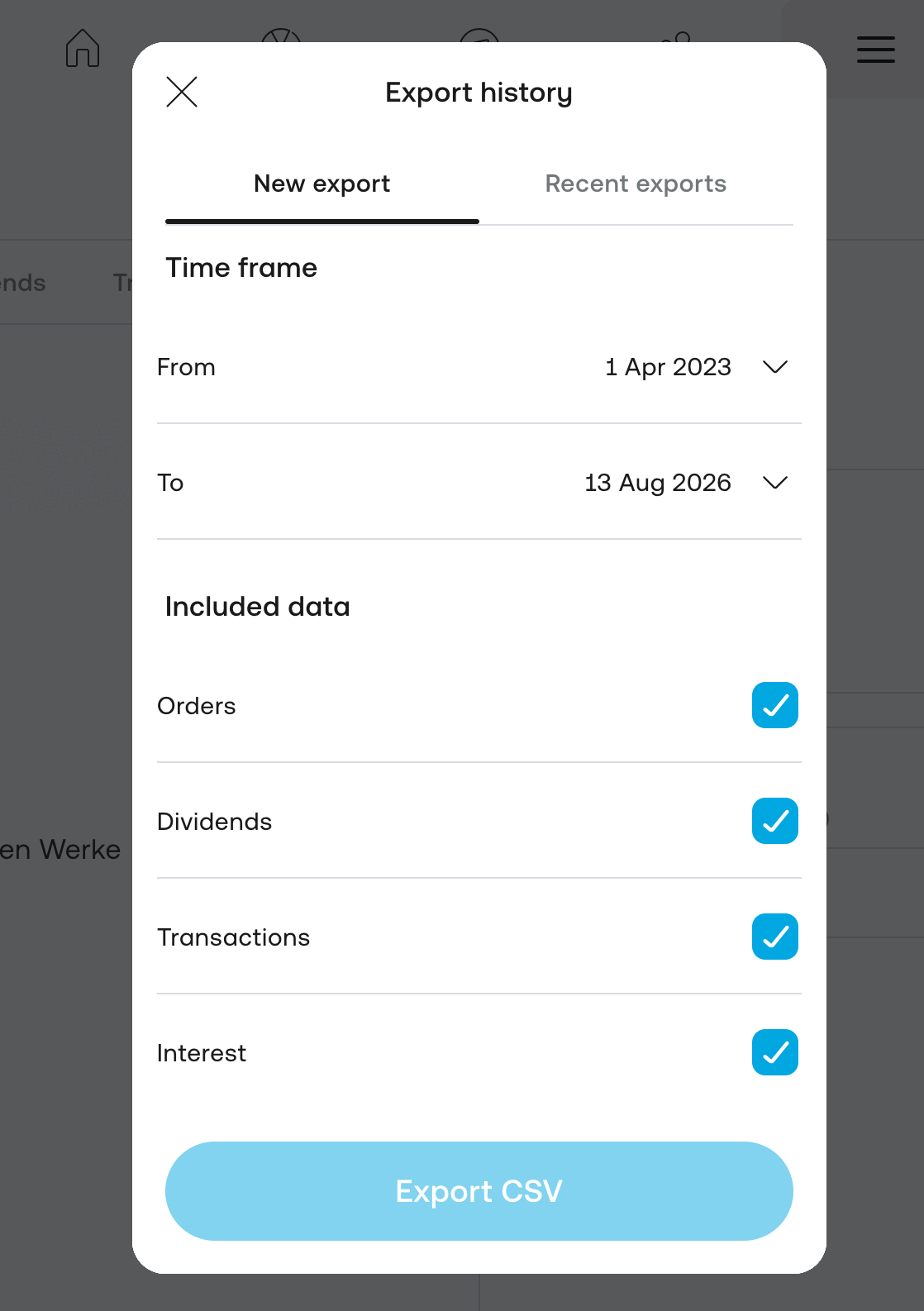
Pick the time frame, leave every data type checked and tap Export CSV.
-
Upload the file to your portfolio in Stonksfolio and review the trades before they are saved.



Everything about the import itself is in the Trading 212 import guide.
What to know about the Trading 212 export
Twelve months per file
Each export covers at most twelve months. For a longer history, export one file per year. You can upload them in any order.
Leave every data type checked
The export dialog lets you choose what goes into the file. With everything checked you get one complete record, and Stonksfolio picks out the buys and sells.
Pies are in the same file
Every buy inside a pie is its own row in the export, next to the trades you made outside pies.
What to do with the file
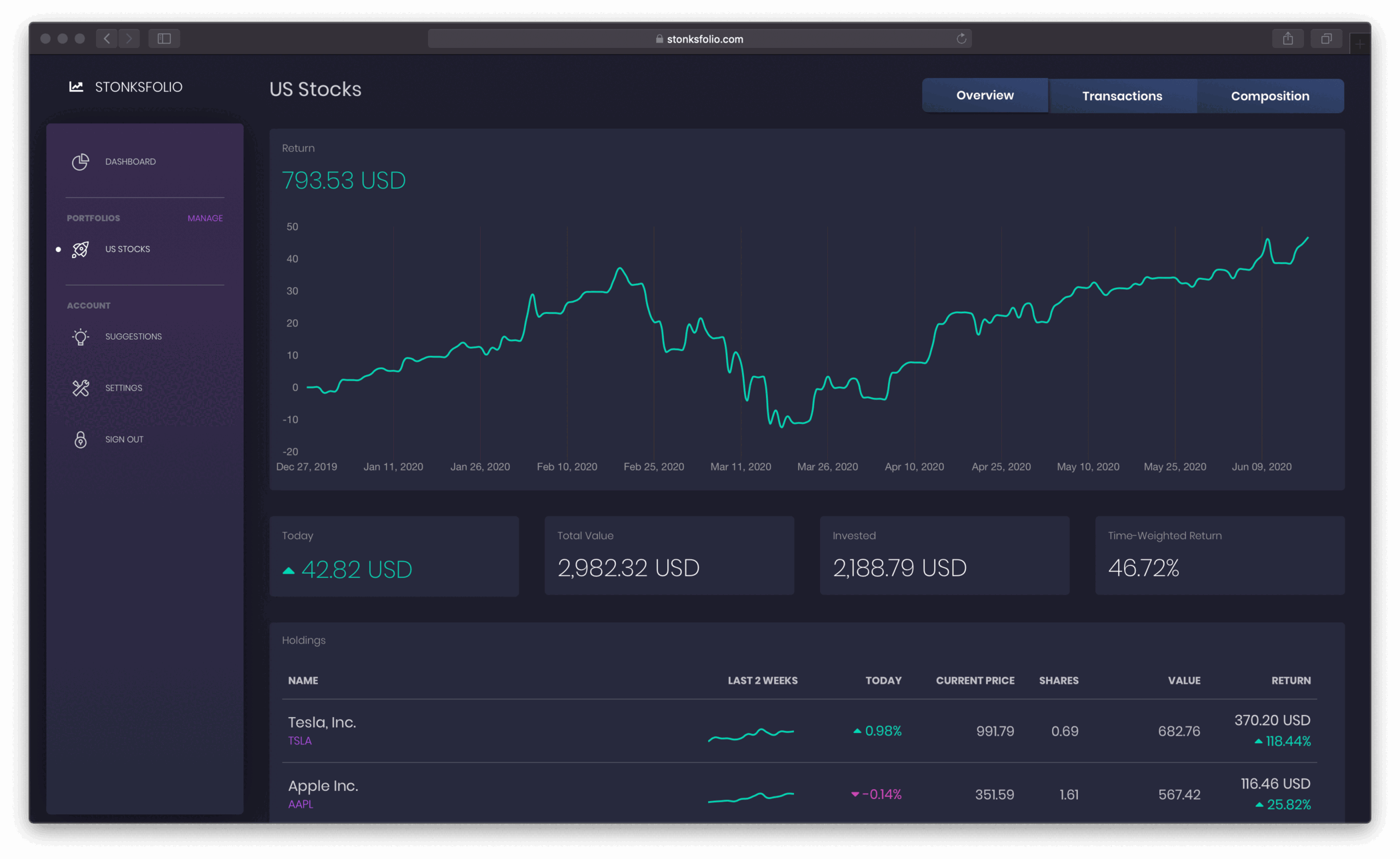
The file lists what you bought and sold. Upload it to Stonksfolio to see how that money did: your time-weighted return, your net return in money, dividends and allocation, next to every other broker you use.
Questions
How far back can I export my Trading 212 history?
Twelve months per file. Export one file for each year you have traded and upload all of them.
Are pie trades in the export?
Yes. Each buy inside a pie is a separate row, like any other trade.
Can I open the file in Excel?
Yes. It's a plain CSV file, so Excel, Numbers and Google Sheets all open it.
What happens if I upload overlapping files?
Nothing is imported twice. Every Trading 212 row has its own ID, and rows already in your portfolio are skipped.
Upload your Trading 212 file and see your return
It's free to start and you don't need a credit card.